
StyleSwitch is a WordPress plugin that adds a widget with a switch for the color scheme of your site. Visitors switch the site between a light and a dark style, and until they choose, the site follows the light or dark mode of their computer or phone. The choice is remembered, so the site keeps the chosen look on every page and on the next visit.
The plugin is built on the StyleSwitch JavaScript library, which also works on its own: on any web page, static or generated by any system, without WordPress and without any dependencies. The first part of this page is about the WordPress plugin, the second one about the library.
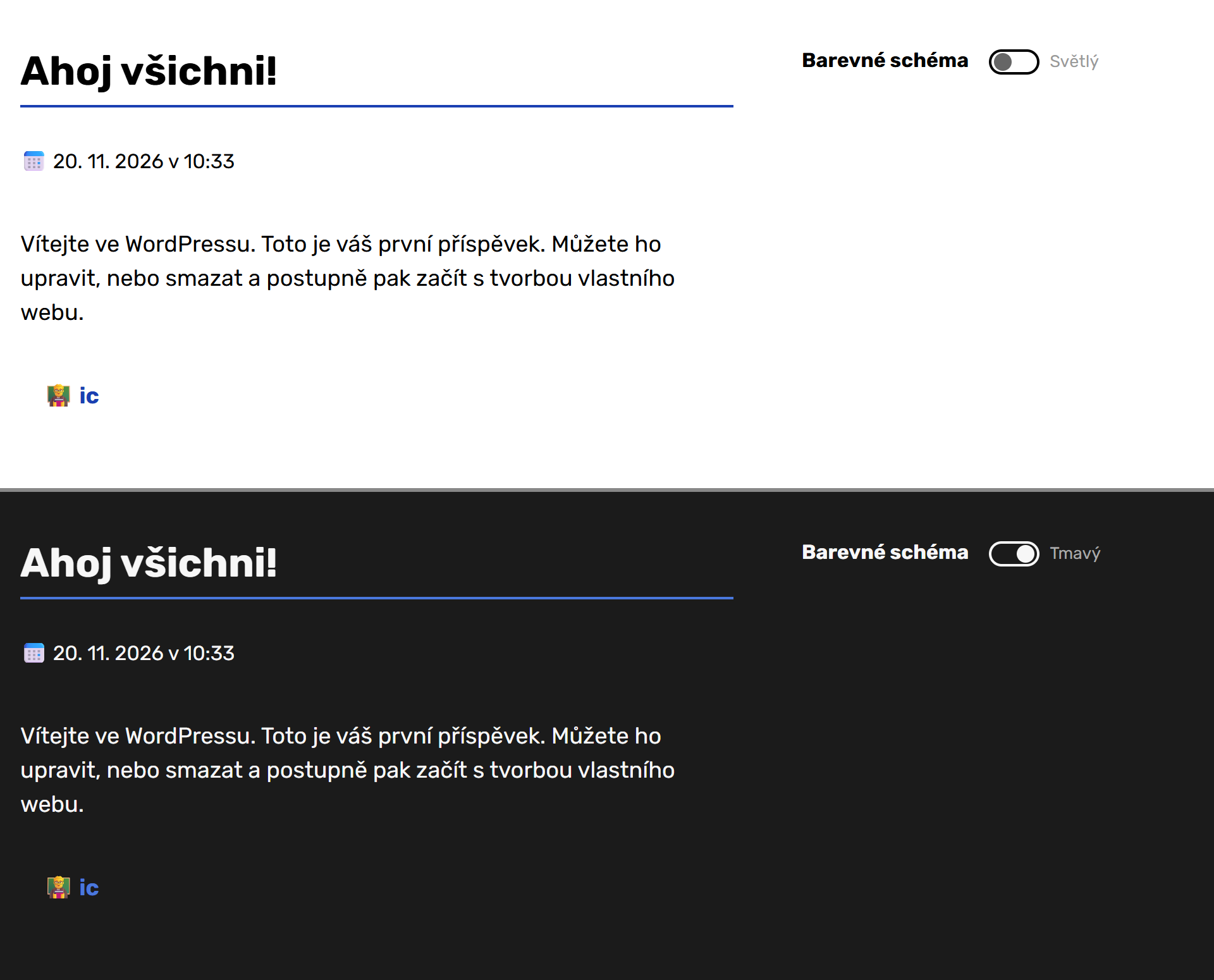
light-dark(): the light style, and the dark style after a click on the switch.At a glance
| Version | plugin 1.0.0, library 1.4.2 |
|---|---|
| License | plugin GPL-2.0-or-later OR CC-BY-SA-4.0, library CC-BY-SA-4.0 |
| Plugin needs | WordPress 6.5+, PHP 7.4+, a theme with widget areas |
| Browsers | Chrome and Edge 87+, Firefox 140+, Safari 18.4+ |
| Installation | plugin: WordPress.org (coming soon), library: npm install style-switch |
| Source code | github.com/iiic/StyleSwitch |
| Bug reports | Issues on GitHub |
| Author | ic |
StyleSwitch for WordPress
The plugin adds the widget StyleSwitch – light / dark with a switch (or a drop-down list, or radio buttons) for the color scheme of the site.
- Follows the operating system – without a choice the site follows the color scheme of the visitor’s system (
prefers-color-scheme). - Remembers the choice – the visitor’s choice is stored in a cookie and used on every page and on the next visit.
- Switches at once – the style changes without reloading the page, also in other open tabs.
- No flash of the other style – the chosen style is applied already in the HTML from the server. With a full page cache or on a static copy of the site, a short inline script applies it before the page is shown.
- Native alternate style sheets – Firefox users can also switch in View → Page Style.
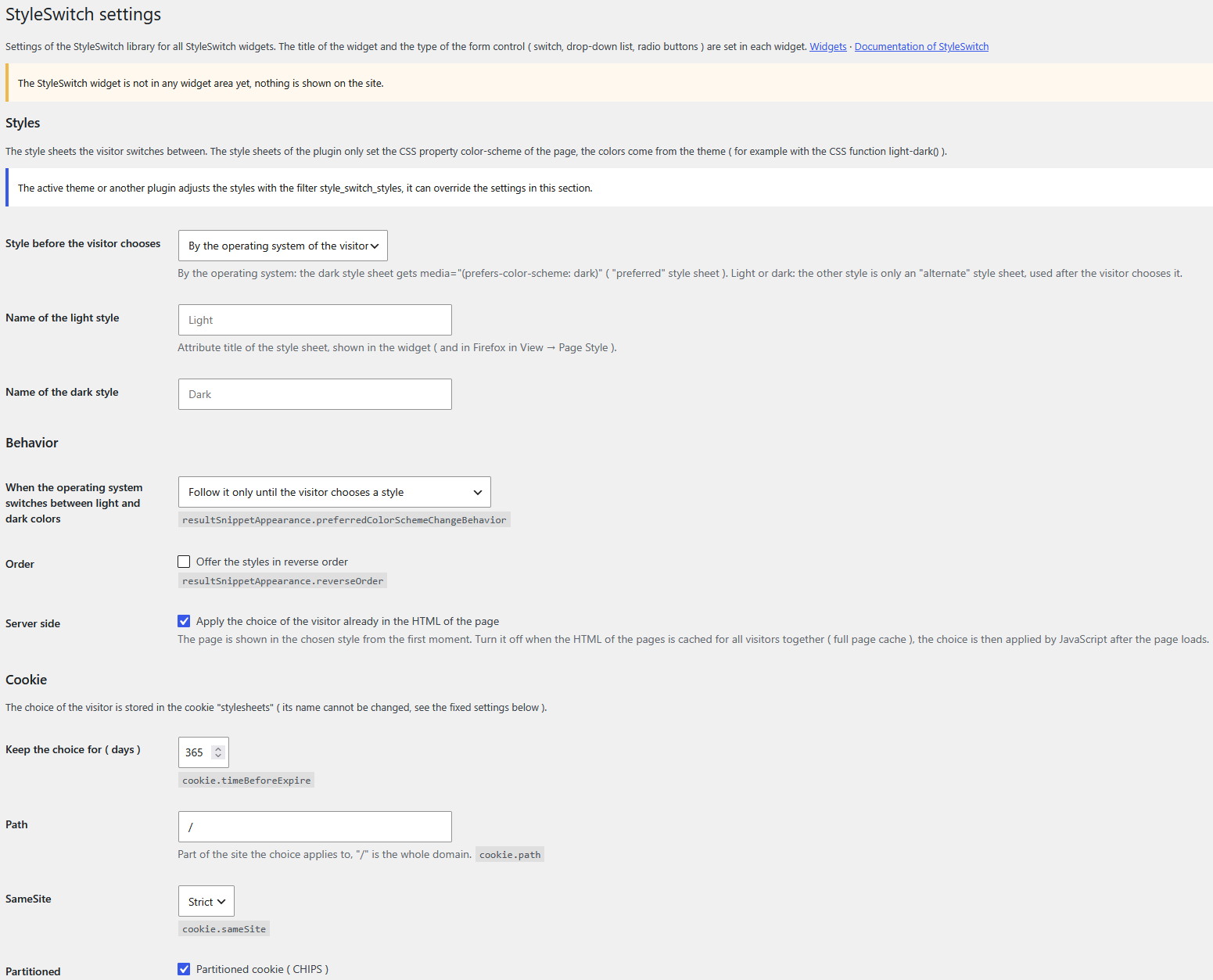
- Settings for everything – Settings → StyleSwitch offers the settings of the library: the default style, names of the styles, all texts, the cookie, the page without CSS (also automatically for the CSS Naked Day) and the markup of the form control.
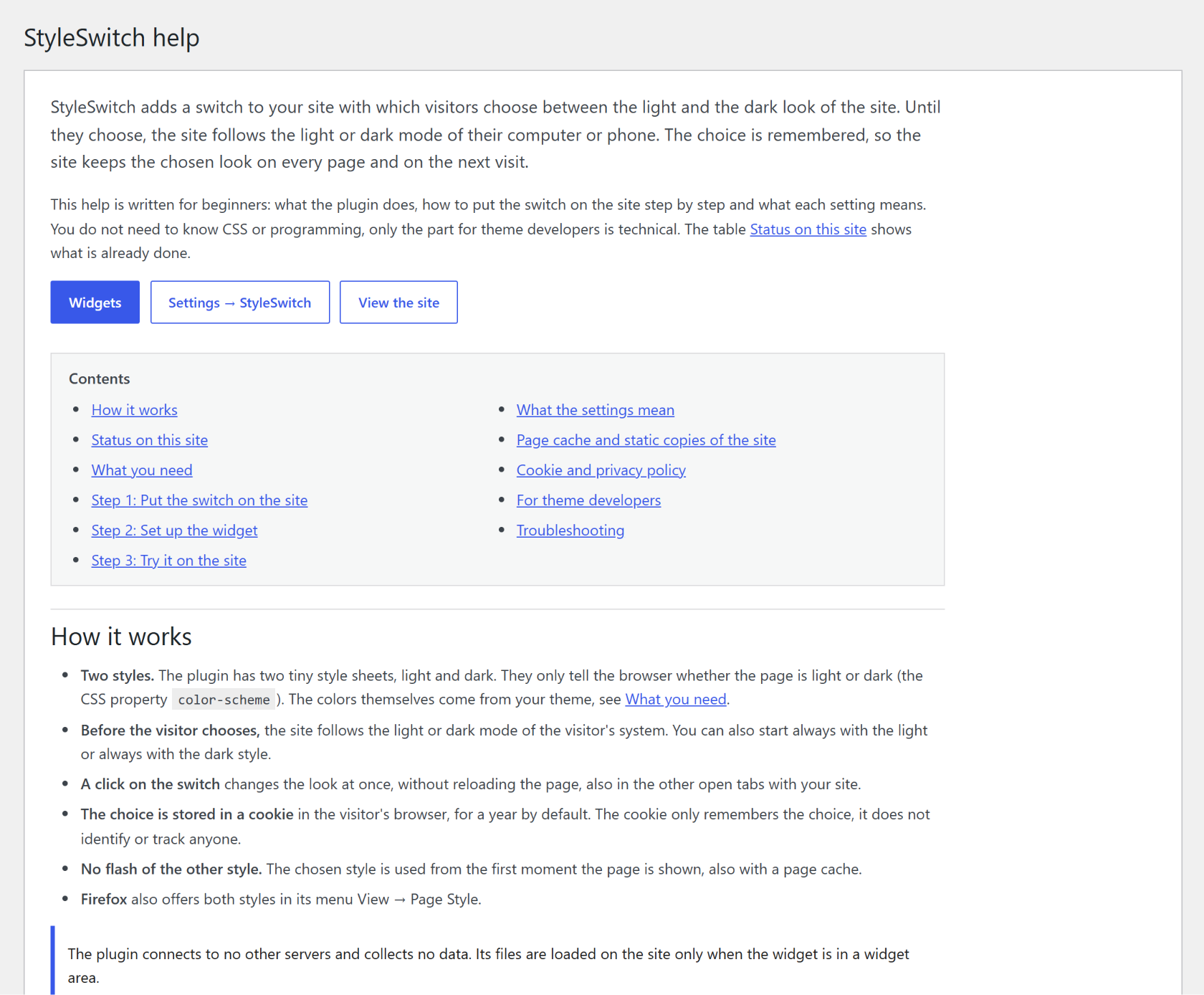
- Help for beginners – how to put the switch on the site step by step, what each setting means, troubleshooting, a preview of the form controls with your texts and the status of your site: whether the widget is placed, whether the colors of your theme switch, whether a page cache needs a different setting.
- Translated into Czech – the language follows the language of WordPress (of the site, in the administration of the user).
- Private and light – no external requests, no tracking, no dependencies.
Installation
- Install and activate the plugin.
- Go to Appearance → Widgets and add the widget StyleSwitch – light / dark to a widget area.
- Optionally set the title and the form control (switch, drop-down list or radio buttons) in the widget.
- Optionally adjust the other settings in Settings → StyleSwitch (also the link Settings at the plugin on the Plugins screen).
The link Help at the plugin on the Plugins screen opens a step by step guide with the status of your site. The plugin needs a theme with widget areas.
What changes on the page
The style sheets of the plugin set only the CSS property color-scheme of the page (light or dark). Your theme decides what the colors are:
- Themes which define their colors with the CSS function
light-dark()switch completely. - Themes which use system colors (
Canvas,CanvasText) or leave the colors to the browser switch too. - For other themes the browser switches only its own parts (form controls, scroll bars). Such a theme can offer its own style sheets with the filter
style_switch_styles.
A theme whose colors switch with the plugin can look like this:
:root {
	--color-background: light-dark(#ffffff, #1b1b1b);
	--color-text: light-dark(#1b1b1b, #f0f0f0);
}

body {
	background-color: var(--color-background);
	color: var(--color-text);
}
For theme developers
style_switch_styles– the style sheets to switch between, in the order they are offered. Each one hastitle,src(keep the URL stable, it is stored in the cookie), an optionalmediaquery (by default(prefers-color-scheme: dark)for the dark style) anddefault. More than two styles are offered in a drop-down list or as radio buttons.style_switch_settings– settings for the StyleSwitch library built from the settings page and the widget, seeStyleSwitch.DEFAULT_SETTINGS. Only the settings which differ from the defaults of the library are written into the page.style_switch_apply_choice_on_server– whether the choice of the visitor is applied already in the HTML. Return false when the HTML is the same for all visitors (for example while generating a static copy of the site), a short inline script then applies the choice in the browser.
add_filter( 'style_switch_styles', function ( $styles ) {
	$styles['dark']['src'] = get_theme_file_uri( 'css/dark.css' );
	$styles['dark']['title'] = 'Night';
	return $styles;
} );
StyleSwitch as a standalone JavaScript library
Under the hood of the plugin is a small library for any web page: a switch for different CSS styles. Pure JavaScript (an ES module with type annotations in comments), no other libraries or frameworks.
There are plenty of light / dark switches, so why make another one? StyleSwitch combines three common approaches:
- browser-native alternate style sheets,
- automatic detection of the color scheme of the operating system with
prefers-color-scheme, - a persistent choice of the user stored in a cookie.
That combination makes it possible to switch styles without a full page reload and to keep the selection across pages.
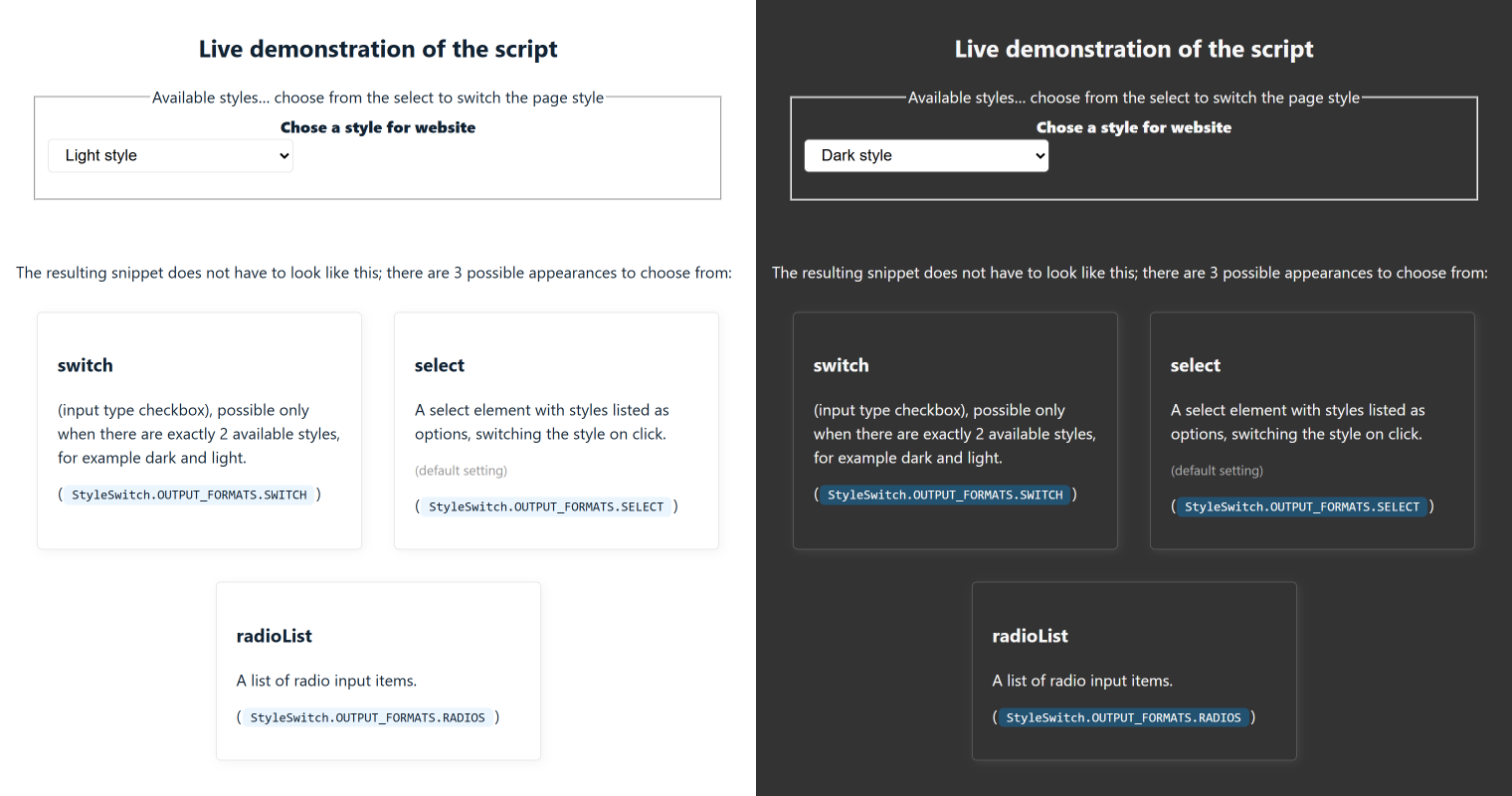
example-usage.html) in a browser set to light and to dark mode: without any choice of the user, the page follows the system.Quick start
Add a container for the widget and include the module:
<fieldset id="style-switch">
	<legend>Color scheme</legend>
</fieldset>
<script src="./style-switch.mjs?v=1.4.2" type="module" integrity="sha256-T4UH0d5j4kg0b+hupVOIW4aWRjJPwija0MTlrzXWqgk="></script>
This already does the core work: it discovers the available styles on the page, creates a switch from them and stores the user’s choice in a cookie.
The widget itself only stores the preference. To apply the chosen style after reloads or on other pages, add the cookie listener style-switch-cookie-listener-example.js from the repository, or a server-side script: example-usage.php shows one in PHP, and both can be used together.
The style sheets
StyleSwitch works with the style sheets which are already in the page. The light style is always used, the dark one only while the system is in dark mode, and Firefox users also get all of them in View → Page Style:
<!-- persistent: always used -->
<link rel="stylesheet" href="./css/light.css" fetchpriority="high">
<!-- preferred: used while the system is in dark mode -->
<link rel="stylesheet" href="./css/dark.css" title="dark style" media="(prefers-color-scheme: dark)">
<!-- alternate: used only after a choice -->
<link rel="alternate stylesheet" href="./css/alternate.css" title="alternative style" fetchpriority="low">
<link rel="alternate stylesheet" href="./css/light.css" title="main light style">
The light style is written twice: once as “persistent” and once as “alternate” with a title, only so that it has a name in the Firefox menu. The file is not downloaded twice. When the visitor chooses a style, the cookie listener or the server removes the media and title attributes of the chosen style sheet, so it wins over the system setting.
The cookie
The choice is stored in the cookie stylesheets for one year (the name and the time can be changed in the settings). It contains JSON with the paths of the style sheets exactly as they are written in the href attributes:
{
	"./example-css/dark.css": { "disabled": false },
	"./example-css/light.css": { "disabled": true },
	"./example-css/alternate.css": { "disabled": true }
}
It is a functional cookie: no session data and nothing random in its name or content, so it cannot be used to track the user.
Settings
Fill in only the settings you want to change, the rest keeps the defaults from StyleSwitch.DEFAULT_SETTINGS. The simplest way is a JSON element with id="styleSwitchSettings" anywhere in the page:
<script type="application/json" id="styleSwitchSettings">
{
	"nakedStyle": {
		"use": true
	},
	"texts": {
		"caption": "Choose a style for website"
	}
}
</script>
The other way is the GET parameter styleSwitchSettings in the address of the module, for example in a dynamic import(), which also returns the created widget as result, so you can put it anywhere in the page. The most used settings:
rootElementQS(string) – the element the widget is inserted into, by default#style-switch.resultSnippetAppearance.outputFormat(string) – the form control:switch(only for exactly two styles),select(default) orradioList.resultSnippetAppearance.preferredColorSchemeChangeBehavior(string) – what happens when the system switches between light and dark:onlyWithoutCookie(default, only until the user chooses),alwaysornever.cookie(object) – name, lifetime, path and other attributes of the cookie.texts(object) – all texts of the widget.nakedStyle(object) – a style without any CSS, optionally switched on automatically for the CSS Naked Day (April 9).
All settings are described in the README on GitHub.
Form controls
The library builds one of three form controls (StyleSwitch.OUTPUT_FORMATS), here with the generated HTML in the developer tools of the browser:

switch – a checkbox with the role switch, only for exactly two styles.
select – a drop-down list, the default.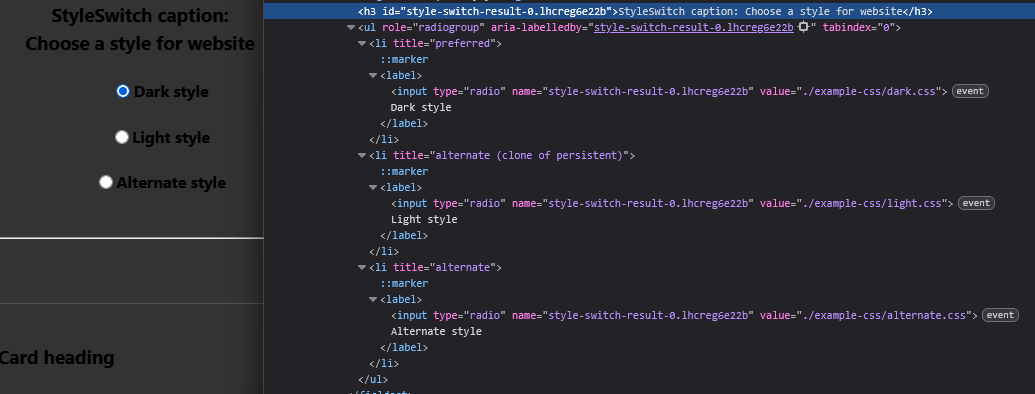
radioList – a list of radio buttons.Installation
npm install style-switchOr load it from unpkg, or download style-switch.mjs from GitHub. The other files in the repository are examples, tests and helpers, StyleSwitch does not need them.
Frequently asked questions
The switch changes nothing on my WordPress site
The theme sets its colors without light-dark(). The theme can define its colors with light-dark(), or offer its own style sheets with the filter style_switch_styles, see StyleSwitch for WordPress.
Why is the widget empty?
The form control is built by JavaScript. It needs a browser with the Cookie Store API (Chrome and Edge 87+, Firefox 140+, Safari 18.4+). Only one StyleSwitch widget is shown on a page.
With the standalone library also check that the page contains style sheet links (without them no widget is created) and that the server sends .mjs files with a JavaScript MIME type (text/javascript).
Does it set cookies?
Only when the visitor chooses a color scheme: the cookie stylesheets with the addresses of the style sheets of the site and whether each of them is turned on, for one year by default. It is a functional cookie, it does not identify or track the visitor. The WordPress plugin suggests a paragraph for your privacy policy (Settings → Privacy).
Does it work with page caching or on a static copy of the site?
Yes. With a full page cache turn off Apply the choice of the visitor already in the HTML of the page in Settings → StyleSwitch, otherwise one visitor’s choice could be cached in the HTML for others. A short inline script then applies the choice before the page is shown, so the page does not flash in the default style either.
On a static copy keep the addresses of the style sheets the same on every page: absolute, or from the root of the site. StyleSwitch stores them in the cookie exactly as they are written in the page, so addresses relative to the page would make the choice work only on pages in the same folder.
Can I use it on a site without WordPress?
Yes, that is what the standalone library is for. The WordPress plugin only wraps it with a widget, a settings page and the server side.
Bugs and suggestions
Report bugs and suggestions in the issues on GitHub. Please do not report security issues publicly, SECURITY.md in the repository says where to send them.
License
The StyleSwitch library by ic is published under the CC BY-SA 4.0 license. The WordPress plugin is dual-licensed, GPL-2.0-or-later OR CC-BY-SA-4.0: you may use, modify and distribute it under the terms of either of the two licenses, and it bundles the library without changes. The example styles of the library are based on MVP.css.